Sum Heatmap Video
Generates a video file using pixelwise addition of the selected frames. Processing steps are the same as Sum Heatmap Images.
Each frame is then concatenated into a single video.
Interface
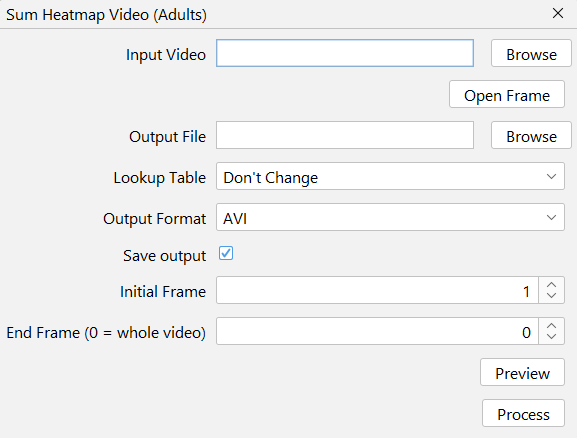
Expected Output
Input Video
Any videos supported by ffmpeg. This includes most video formats in existence. Notably, one exclusion: AVI videos saved from ImageJ with compression set to "None" (codec rawvideo) will not work.
This function expects a video with dark subjects over a bright background. If that does not correspond to your data, videos can be inverted using FFmpeg's Invert Colors option or the Invert Video tool.
Output File
The path to save the operation's output.
Lookup Table
The LUTs available are the ImageJ's built-in ones (found at Image → Lookup Tables). Leave as "Don't change" for RGB images if Convert to Grayscale is not checked.
Brightness Tolerance (%)
Percentage of the ROI pixels allowed to sit above the brightness upper bound.
The brightness adjustment stretches the accumulated signal over the available range so the result is not dominated by the darkest and brightest pixels inside the ROI. Bright pixels, however, are often single saturated spots: a sensor hit, a reflection, or a compressed video artifact. When the brightest pixel of the ROI is one of those, it becomes the upper bound and every other pixel gets squeezed towards black, which is what makes the adjustment appear to do nothing.
This parameter sets an upper bound that ignores that kind of outlier. The bound becomes the
(100 - tolerance)-th percentile of the ROI pixels, so 0.01 means "the 99.99th percentile":
only the 0.01% brightest pixels of the ROI are disregarded. Since the percentile is taken over
the ROI itself, the number of tolerated pixels scales with the ROI size, from a handful of
pixels in a small ROI to a few hundreds in a large one.
Pixels above the computed bound are not discarded: they saturate at the top of the range, exactly like a regular brightness and contrast upper limit would.
0 disables the tolerance and uses the plain ROI maximum.
Start and End frame
Specify the frame number to begin and end the processing.
The selection is inclusive, meaning both the start and end frames will be processed.
Frame numbers are one-indexed (the first frame has a frame number equal to 1).
To process the video all the way to its final frame, enter 0 in the 'End frame' field.
Preview
Shows a preview of the function, using the first 10 frames ahead of the Start frame set by the user.